





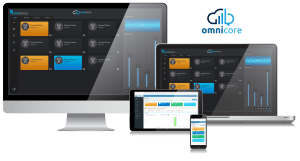
SOFTWARE GATEWAY FOR DAMM TETRAFLEX
DAMM TetraFlex gateway software for TETRA radio dispatch
Tetra GatewayDM is a software gateway that connects omnicore dispatch consoles to DAMM TetraFlex TETRA networks over IP – up to 128 talk paths with calls, messages, emergency alerts and location, from a DAMM-approved application.
DAMM approved
Tested and approved under the DAMM Application Partner Program.
128 talk paths
Version 3.0 carries up to 128 TETRA talk paths and 128 console connections.
Voice, data and location
Group and individual calls, text and status messages, emergency alerts and GPS location.
Automatic failover
Primary and secondary gateways keep dispatch running if one fails.
DAMM Application Partner
A DAMM-approved application from a DAMM Application Partner
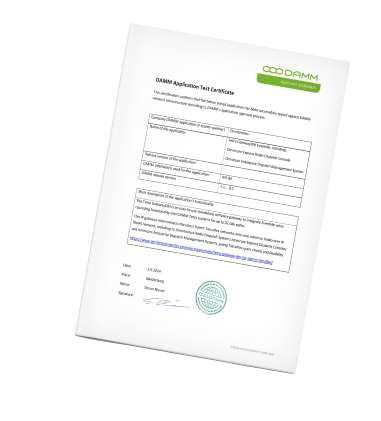
Omnitronics is a member of the DAMM Application Partner Program. To be accepted, Omnitronics went through DAMM's approval process, including product testing and compliance, to show the quality and reliability of its software and the value it adds to DAMM network infrastructure.
Tetra GatewayDM has been tested against DAMM network infrastructure and approved as a DAMM application for omnicore Express and omnicore Enterprise dispatch, across DAMM TetraFlex releases 7.x to 8.2. Omnitronics has delivered DAMM TETRA solutions with Tetra GatewayDM since it was first released in 2015.
The challenge
Why TETRA becomes an island in a multi-network control room
Most control rooms that run a DAMM TetraFlex network also run something else – analog, DMR, P25 or a broadband push-to-talk service. When each network has its own dispatch screen, operators juggle applications, can't patch a TETRA talk group to another radio system and miss the context a single console gives them.
Every extra system also needs its own connection for voice recording, its own contact list and its own plan for what happens when a server fails.
How it works
How Tetra GatewayDM connects your consoles to DAMM TetraFlex
Tetra GatewayDM connects to your TetraFlex network through the DAMM TetraFlex API, then presents each TETRA talk group to your consoles as a talk path over standard Radio over IP.

TetraFlex API connection
One API connection reaches the TetraFlex base stations over your IP network – no donor radios. A single API can link to two base stations, with failover between them handled by DAMM.
A talk path per talk group
Configure up to 128 talk paths. Up to 128 omnicore consoles share each talk path over SIP and RTP, and dispatchers can change the talk group from the console.
Digital data comes through
Radio unit IDs, text and status messages, emergency alerts and TETRA location reports reach the console alongside the voice.
What you get
Your TetraFlex network on the same console as every other radio
Everyone gets the same core benefit: TETRA talk groups on one dispatch console with your other radio systems, with digital signaling intact and failover built in.
For operators
- Group, broadcast and individual calls (full and half duplex) from the console.
- Radio unit IDs, text and status messages and emergency alerts at every console.
- Radio positions on the omnicore map from TETRA location reports, with no separate location server needed.
- Console names on TETRA radios: field users see which dispatcher is talking, on radios such as Sepura and on DAMM's TetraFlex PTToC app.
- The TetraFlex subscriber register uploads to omnicore contacts and updates automatically when it changes in the DAMM system.
- Patch TETRA talk groups to analog, DMR, P25 and other radio channels.
- Automatic failover to a secondary gateway, with monitored talk groups and radio patches carried over.
For resellers and integrators
- A DAMM-approved application from a DAMM Application Partner, in service with TetraFlex networks since 2015.
- One system-wide license for omnicore, managed through the Omnitronics omniKey licensing service.
- Runs on Windows Server 2019 or later, on a dedicated server, alongside the omnicore server or as a virtual machine.
- An often-overlooked extra: it connects Eventide and other IP voice recorders to DAMM TETRA networks – up to two recorders and 256 recorder endpoints.
- Browser-based configuration, SNMP monitoring and backup and restore.
- A 30-day free trial, backed by Omnitronics support and omnicare maintenance plans.
Overview
What is a DAMM TetraFlex gateway?
A DAMM TetraFlex gateway connects dispatch consoles and other IP systems to a TetraFlex TETRA network. Tetra GatewayDM does this in software through the DAMM TetraFlex API, carrying up to 128 talk paths of voice and data to omnicore consoles over standard Radio over IP. TETRA is the ETSI standard for professional mobile radio – see the ETSI TETRA overview for background.
Built on the DAMM TetraFlex API
Tetra GatewayDM runs as a Windows service and talks to TetraFlex base stations through DAMM's own API, so there are no donor radios or audio interfaces to maintain. The API license and DLL come from DAMM on a USB security key. Omnitronics is a member of the DAMM Application Partner Program, and the gateway has been tested and approved against DAMM network infrastructure.
Calls, messages, emergency and location
Dispatchers make group, broadcast and individual calls, including full-duplex individual calls. Text messages use SDS or SDS-TL, so they work with a wide range of terminal radios. Status and emergency status messages from radios reach the console, and TETRA Location Information Protocol (LIP) short and long reports put radio positions on the console map.
Console identity and contacts
From version 3.0, the gateway sends the console's alias or ID to the radio during a call, so field users can see which dispatcher is speaking – on radios such as Sepura and on DAMM's TetraFlex PTToC app. It can also upload the TetraFlex subscriber register to the omnicore contact service, keeping console contacts in step with the DAMM system.
Radio patching
Dispatchers can patch TETRA talk groups to analog and digital channels on any Omnitronics gateway, and patches stay in place even if the console shuts down. A patch made only of Tetra GatewayDM talk paths stays inside the gateway, so large patch groups work even on networks that don't permit multicast traffic.
Two layers of resilience
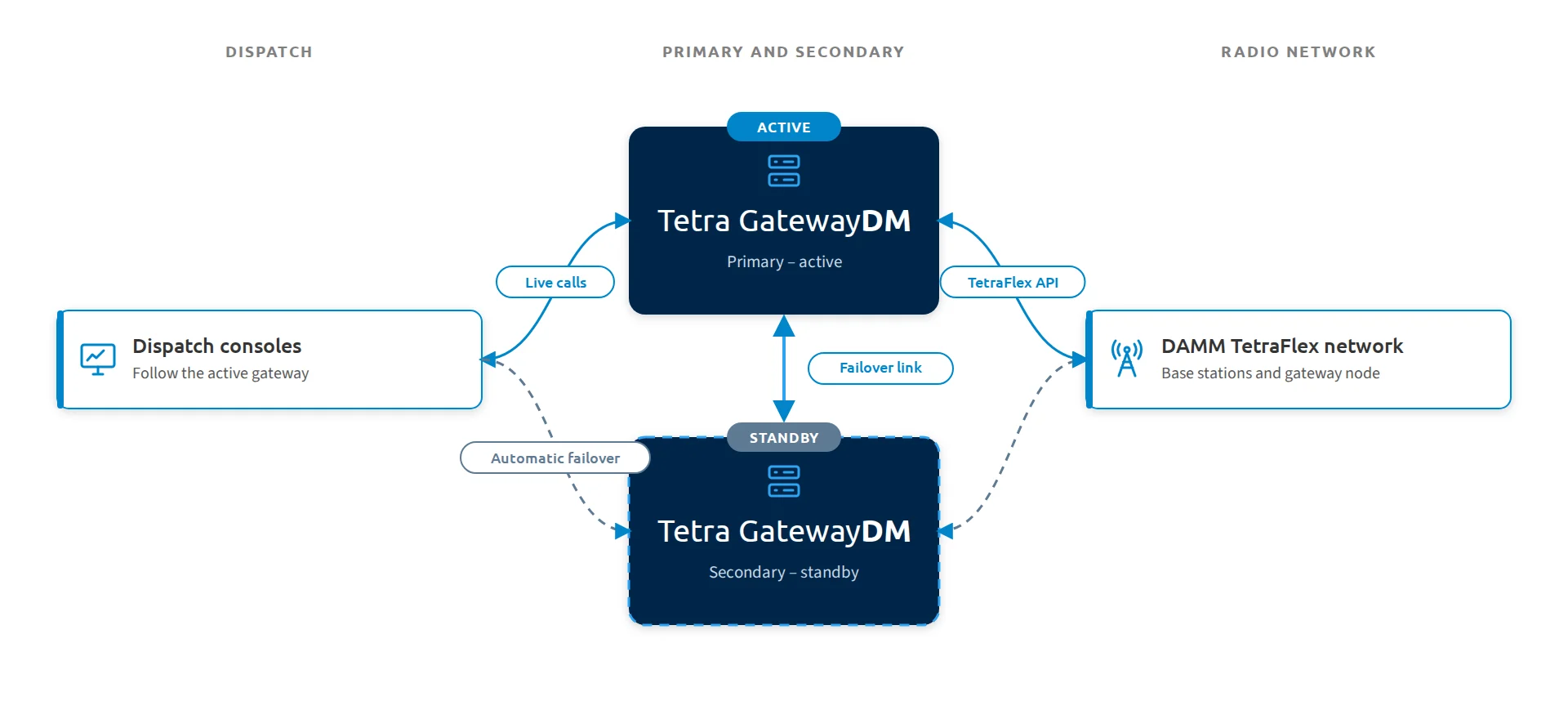
A single TetraFlex API can connect to two base stations, with DAMM handling failover between them. On top of that, two Tetra GatewayDM servers run as primary and secondary: if the active gateway fails, omnicore consoles move to the standby automatically, with the same talk groups monitored and radio patches still running.
Voice recording – an often-overlooked benefit
Tetra GatewayDM can also serve purely as a recording gateway. It sends each talk path's audio to Eventide and other IP voice recorders over RTP – up to two recorders and 256 recorder endpoints – which gives DAMM TETRA networks a straightforward way to record radio traffic.
Deployment
The gateway runs on Windows Server 2019 or later (Windows Server 2025 recommended), on a dedicated server or alongside the omnicore server. It can be virtualized, using a USB-over-IP device for the DAMM license key. Version 3.0 is a 64-bit application with migration tooling for existing installations.
Key facts
- Interface: DAMM TetraFlex API to TetraFlex TETRA base stations
- Capacity: up to 128 talk paths and 128 omnicore console connections (version 3.0)
- Calls: group, broadcast and individual (full and half duplex)
- Data: radio unit IDs, SDS and SDS-TL text messages, status and emergency status messages
- Location: TETRA LIP short and long location reports
- Console identity: console alias or ID shown on terminal radios; subscriber register upload to omnicore contacts
- Patching: TETRA talk groups to other analog and digital radio channels
- Recording: Eventide and other IP voice recorders – up to two recorders, 256 recorder endpoints
- Resilience: primary and secondary gateways with automatic failover, plus DAMM API base station redundancy
- Platform: Windows Server 2019 or later, physical or virtual, 64-bit
- Approval: DAMM Application Partner Program
FAQ
Tetra GatewayDM questions buyers ask
What do I need from DAMM?
Tetra GatewayDM uses the DAMM TetraFlex API, which needs a TetraFlex API license on a USB security key and the API DLL file. Customers source these from DAMM or a DAMM distributor. Omnitronics supplies the Tetra GatewayDM software and license.
How many talk paths and consoles does it support?
Version 3.0 supports up to 128 talk paths and up to 128 omnicore console connections on each talk path. Earlier versions supported up to 32. Servers with more than 32 talk paths need an 8-core processor.
Can it run on a virtual machine?
Yes. Tetra GatewayDM runs on Windows Server 2019 or later as a virtual machine or on a dedicated server, and it can share a server with omnicore. On a virtual machine, a USB-over-IP device connects the DAMM license key, and the host needs to provide virtual sound hardware.
Can TETRA radios see which dispatcher is talking?
Yes. From version 3.0, Tetra GatewayDM sends the console's alias or ID to the radio during a call, so it can be displayed on radios such as Sepura and on DAMM's TetraFlex PTToC app. A few settings are needed in the radio fleet programming and the TetraFlex system.
Can it connect a voice recorder to a DAMM TETRA network?
Yes – and it's an often-overlooked benefit. Tetra GatewayDM sends talk path audio over RTP to Eventide and other IP voice recorders, up to two recorders and 256 recorder endpoints. It can do this on its own or alongside omnicore dispatch.
What happens if the gateway fails?
Two Tetra GatewayDM servers run as primary and secondary. If the active gateway fails, omnicore consoles fail over to the standby automatically and keep the same monitored talk groups. Radio patches keep running too. Calls in progress at the moment of failover need to be re-established.
Related
Build out your TETRA dispatch system
Pair Tetra GatewayDM with omnicore Enterprise Dispatch Management System for the console side, and bring your other networks onto the same console with omniGateDMR for DMR, omniGateP25 for P25 and DRG100 hardware gateways.
Compare every option on the software RoIP gateways overview, or see how Omnitronics supports public safety, mining, transportation and utility operations.
Bring your DAMM TetraFlex network onto one console
Tell us about your TetraFlex network, talk groups and console positions, and we'll size Tetra GatewayDM for it.
Reseller or integrator? Become an Omnitronics partner and bring it to your customers.