






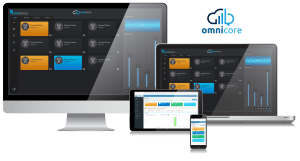
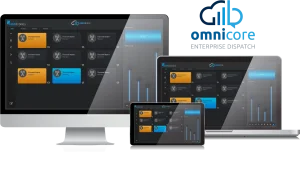
omnicore Enterprise Dispatch Server
The server behind omnicore Enterprise Dispatch. Ideal for medium organizations to large enterprise scaling beyond 100 operators and/or 200 channels, it has the flexibility to grow with demand and is compatible with existing tried and proven Omnitronics gateways.
Product pageMaritime Digital Selective Calling (DSC) distress support for compliant distress alerting, and HTTPS enablement with a guided SSL certificate installation step. SQL Server connection settings are handled directly within the configuration file, and stability is strengthened through updated build processes and automated testing.
New Features
Maritime Digital Selective Calling (DSC) - Distress Support
Support for Maritime DSC Distress signalling has been introduced, enabling compliant distress alerting and improving safety for organisations operating in marine environments.
HTTPS enablement with SSL certificate installation
HTTPS support has been added, including a guided SSL certificate installation step. This enhancement strengthens security and simplifies the process of enabling encrypted communication.
Fixes & Enhancements
Improved management of SQL Server connectivity
SQL Server connection settings are handled directly within the configuration file, providing a more consistent and maintainable approach to database connectivity.
Enhanced overall system resilience
Stability has been strengthened through updated build processes and integrated automated testing, supporting more reliable operation across deployments.
Earlier releases
4.2.0A unified call queue showing radio and telephone calls together, new System Log management activity, push-to-talk hold timer configurable from 50 ms,...16 Mar 2026
TypeFeature
A unified call queue showing radio and telephone calls together, new System Log management activity, push-to-talk hold timer configurable from 50 ms, and direct access to omniacademy from the Dashboard. Public library dependencies updated to secured versions, and more predictable handling of scheduled task runtimes.
New Features
Unified call queue
A combined call queue displays both radio and telephone calls in a single view. This provides operators with clearer situational awareness and reduces the need to switch between separate lists during busy periods.
System Log management
A new activity type has been added for clearing the System Log. This gives administrators better visibility of log maintenance actions and supports cleaner audit practices.
Enhanced PTT hold timer configuration
The Push-to-Talk Hold Timer supports configuration from 50 ms, offering finer control for organisations that require more precise timing behaviour.
Direct access to omniacademy
The Dashboard landing page includes an embedded link to omniacademy, making it easier for users to access training resources directly from within the application.
Fixes & Enhancements
Operational consistency
The Poll Radio Status function has been renamed Radio Locate to align terminology with DRG100 RoIP Gateway capabilities and ensure a consistent operator experience.
Accurate device listings
Devices removed from the server are now also removed from the Dashboard, preventing outdated or misleading device listings.
Security and stability
Public library dependencies have been updated to secured versions, strengthening the overall security posture of the system.
Scheduled task handling
Handling of scheduled task runtimes has been improved to better manage values that fall outside expected bounds, supporting more predictable and reliable task execution.
3.4.0Radio calls can be associated with a radio status message in the call queue, operators gain visibility of who has acknowledged a...7 Aug 2024
TypeFeature
Radio calls can be associated with a radio status message in the call queue, operators gain visibility of who has acknowledged a group call, PTT priority and lockout can be enabled, and analog and digital radio become contact item types for one-touch dialling. A new scheduled task clears radio call records, running tasks show more diagnostic detail, and duplicate radio gateway configuration is now blocked with an error.
New Features
Radio call and status message association
Functionality has been added to associate a radio call with a radio status message in the call queue.
Group call acknowledgements
Operators have visibility of radio users who have acknowledged a group call.
PTT priority and lockout
Added an optional setting to enable push-to-talk priority and lockout functionality.
Clear Radio Call scheduled task
Added an additional scheduled task to clear radio call records, to further increase server health.
Analog and digital radio contact item types
Users can configure both analog radio and digital radio as contact item types, either of which can be set as the default contact item. This allows an analog or digital radio call to be made by the operator via one-touch dialling.
Fixes & Enhancements
Scheduled task diagnostics
More information is displayed in the list of running tasks, improving the diagnostics of the system.
Duplicate radio gateway configuration
An error message is displayed if an attempt is made to configure an identical radio gateway.
3.3.1Adds configuration for a third alarm, the Dam Alarm, server actions that run before and after an alarm triggers, and a dedicated...8 Mar 2024
TypeFeature
Adds configuration for a third alarm, the Dam Alarm, server actions that run before and after an alarm triggers, and a dedicated alarm activity log covering radio and console events including tone injection. Alarms sort by priority on the dashboard, Google Maps is available as a map provider, and several TETRA gateway, dynamic regrouping and licensing issues are resolved.
New Features
Dam Alarm configuration
More control over alarms, with configuration options available for a third alarm, specifically a Dam Alarm.
Server actions on alarm
Configuration options added for radio alarms to execute a server action when the alarm is triggered, and another when it is cleared.
Alarm activity log
Alarm events from radio, via omniAGS, and from the console are logged, including tone injection. A new activity log specifically for alarms is also available.
Fixes & Enhancements
Dashboard
Alarms displayed on the dashboard are sorted in order of priority, and console connections no longer incorrectly go into a faulty state.
Console location
Fixed console locations being saved incorrectly.
Google Maps provider
Google Maps is now an option for map provider.
TETRA gateway device creation
The SIP port number can no longer be auto-incremented using the bulk create option for a TETRA gateway radio device type, the SIP username now increments automatically, and CCP is no longer incorrectly displayed as disabled.
Radio System Profile navigation
Fixed redirection to the Channel page when editing a channel under the Radio System Profile section.
Alarm state display
Alarm state displays correctly on the alarms page.
Phone extension images
The phone extension custom image is no longer replaced with the default image.
Default Language tool tip
Modified the tool tip message for the Default Language field.
Dynamic regrouping
Fixed dynamic regrouping expiry in multi-tenant systems where the same group IDs are used amongst radio groups, and resolved consoles incorrectly showing radios as still part of a dynamic group after expiry.
Last Locations search
Fixed search functionality on the Last Locations page list.
Licence file support
omnicore can now be licensed with files carrying a .lic2 extension.
3.2.1Adds bulk creation of omniGate devices from the Radio Gateway Device page, and configurable colours for contact priorities. Dashboard redesign, configurable speed...7 Dec 2023
TypeFeature
Adds bulk creation of omniGate devices from the Radio Gateway Device page, and configurable colours for contact priorities. Dashboard redesign, configurable speed units, more informative channel-limit errors, one-touch default contact items, and an end to duplicate GPS location logging.
New Features
Bulk create omniGate devices
The ability to create multiple omniGate devices via a button in the Radio Gateway Device page.
Contact priority colours
Configuration enabling the assigning of colours to a contact priority.
Fixes & Enhancements
Dashboard design
Changes to the dashboard design and colour. By default the Node and Gateway Devices panels are collapsed.
Channel limit messaging
The error message displayed when attempting to create a channel above the licensed channel limit, from the Radio Gateway Device page, is now more informative.
Configurable unit of speed
The unit of speed can be configured to kph, mph or knots in the Radio System Profile and when determining speed limits in Geofences.
Radio Patch Groups table
Removed the Active Channels field from the Radio Patch Groups information table, as it provides no value to end users.
Phone SIP server copying
All information is now copied when a phone SIP server is cloned using the copy function.
AMI control protocol
Implemented Control Protocol for optional AMI settings on phone SIP servers.
Contact priority and default items
The priority level for a contact is now a description rather than a number, and contacts can have a default contact item such as a phone number or radio ID for one-touch dialling.
Duplicate GPS logging
The server no longer logs duplicate GPS locations in the database.
On-screen keyboard permission
An on-screen keyboard button has been added to the Access Control List.
Teams terminology
References to Organization have been changed to Teams.
Installation wizard
Added a step to the omnicore installation wizard giving the user the option to use an existing Windows Admin account.
3.1.0Adds configuration for Emergency and Blast Alarms and a dashboard Alarms section showing name, tone mode, state and an Off State button....22 Aug 2023
TypeFeature
Adds configuration for Emergency and Blast Alarms and a dashboard Alarms section showing name, tone mode, state and an Off State button. Licence count display improved and phone recording configuration reinstated for Rapid Recall. Adds a dedicated Workgroup Profiles page and support for omniGate, omniGate P25, omniGate DMR and Tetra Gateway-DM device types, with VoIP and RTP ports configured separately.
New Features
Emergency and Blast Alarm configuration
Configuration for Emergency and Blast Alarms.
Dashboard Alarms section
Added an Alarms section to the dashboard displaying Emergency and Blast information: name, tone mode, state, and an Off State button visible when there is an active alarm.
Dashboard improvements
Improved display of licence count on the dashboard. By default all dashboard panels are now expanded, except Statistics.
Phone recording for Rapid Recall
Phone recording configuration reinstated for Rapid Recall.
Fixes & Enhancements
Workgroup Profiles page
Added a new page specifically for Workgroup Profiles.
Additional radio device types
Added more radio device types: omniGate, omniGate P25, omniGate DMR and Tetra Gateway-DM.
VoIP and RTP port configuration
Separated VoIP and RTP port into separate fields. The gateway radio patch port and gateway receive audio port are configured separately.
Capability Dock permission removed
Removed the Capability Dock Enabled permission, following the removal of the capability dock in the console.
SIP phone extension associations on upgrade
Existing associations between single SIP phone extensions and users are no longer cleared when upgrading the server from version 1.8.1 or below to version 3.1.0.
Licence details for new organisations
Correct licence details now show upon the creation of a new organisation.
Auxiliary I/O icon upload
Resolved the Upload button disappearing from the page when uploading an icon on the Auxiliary I/O device page.
Console Profiles naming
Renamed all instances of Console Setting Profile to Console Profiles.
3.0.1Resolves a licensing issue affecting the maximum number of users and the number of concurrent connections.17 Apr 2023
TypeMaintenance
Resolves a licensing issue affecting the maximum number of users and the number of concurrent connections.
Fixes & Enhancements
Licensing of users and concurrent connections
Fixed a licensing issue which affected the maximum number of users and number of concurrent connections.
3.0.0The omnicore Enterprise licence now determines the number of user accounts, contacts and console profiles. Adds configurable minimum foreground and background audio...27 Mar 2023
TypeFeature
The omnicore Enterprise licence now determines the number of user accounts, contacts and console profiles. Adds configurable minimum foreground and background audio levels, and a configurable second clock with a specified time zone. The Manage Licence page shows product name and maximum contacts and users, upgrade issues from v1.8.1 and v1.7.4 are resolved, and scheduled task timing has been corrected.
New Features
Licence-determined limits
The omnicore Enterprise licence now determines the number of user accounts that can be created, contacts that can be created and imported, and console profiles.
Configurable minimum audio levels
Implemented a configurable minimum setting for foreground and background audio levels, the same as with the DX-Altus product.
Second clock
Added a second clock, configurable to display, with a specified time zone.
Fixes & Enhancements
Licence management
Enhanced the Manage Licence page to display additional information for the Organisation and Site Admin: product name, maximum number of contacts, and maximum number of users.
Operator PTT audio to phone connections
Added a configurable option to transmit operator PTT audio to a phone (SIP) connection while transmitting to a radio.
Auxiliary I/O and IoT devices
Included a configurable setting for the Auxiliary Output, allowing for a toggle or momentary action.
Upgrade reliability
Resolved issues upgrading from v1.8.1 to v2.0.1, and a constraint error when upgrading from v1.7.4 to v2.0.1.
Scheduled tasks
Resolved the Clear Call Queue History task not honouring the set interval time, and actual start times differing from the configured time.
Radio System Profile
Adjusted page contents to create a separate section for omniAGS configuration.
New user defaults
Newly created user accounts now get the default, standard component sets assigned.