





Overview
What are Dispatch Action Buttons?
The Action Sequence function in omnicore streamlines multi-step processes into a single touch of a button. An easy way to consolidate workflows in a user-defined sequence of actions the dispatcher can perform.
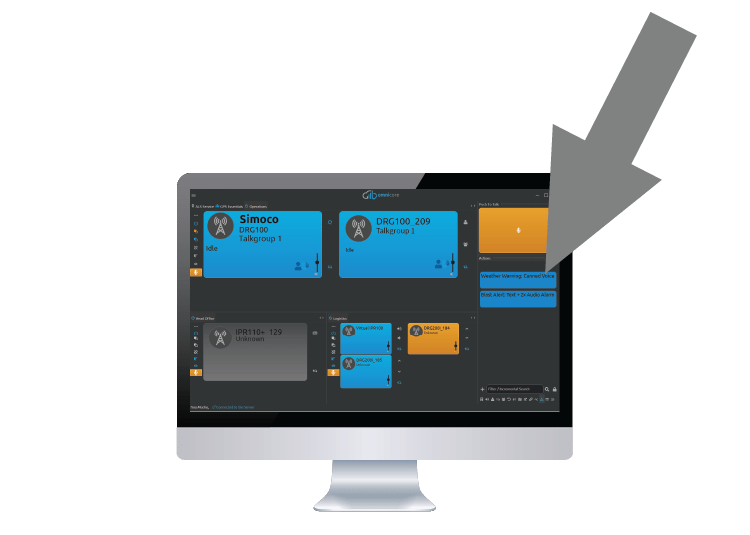
Within the Actions window one can assign a button on the console to execute a predefined set of actions known as an action sequence. This makes it easy for dispatchers to invoke multi-action sequences with the touch of one button.
An action sequence simplifies day-to-day operations, ensures consistency, and reduces dispatcher workload.
Workload
Dispatcher workload is reduced by simplifying steps
Consistency
Actions are always executed in the exact same way, no matter which dispatcher is on duty
Less Errors
The capacity for human error is reduced, especially useful in mission-critical dispatch
Less Training
Radio Dispatchers need less training to operate the dispatch console
Workflow Example
Regular Canned Voice Announcement
Action 1
Put desired Channel(s) in Foreground mode
Action 2
Channel-Change desired Channels to correct particular frequencies
Action 3
Send one or more Canned Voice Messages with pauses in between
Action 4
Turn Channel(s) back to Off state
Streamline
Simplify day-to-day operations
Manage Processes
Consistent task execution, no matter who is in charge
Team Benefits
Reduced Operator workloads
Workflow Example
Blast Alert at Mine Site
Action 1
Send SELCALL (analog) or text message (digital) to alert radios of blasting
Action 2
Put blast zone Channel(s) in Foregound mode
Action 3
Play alarm sound using Canned Voice over selected Channel(s), pause, play alarm sound again
We'll find the perfect system for your individual needs.